

TENGENCE MCP
Bring Tengence into your AI workflow
One endpoint across Search, Insight, datasets, console and billing — so Claude, ChatGPT, Cursor and VS Code can query, configure, change and push.
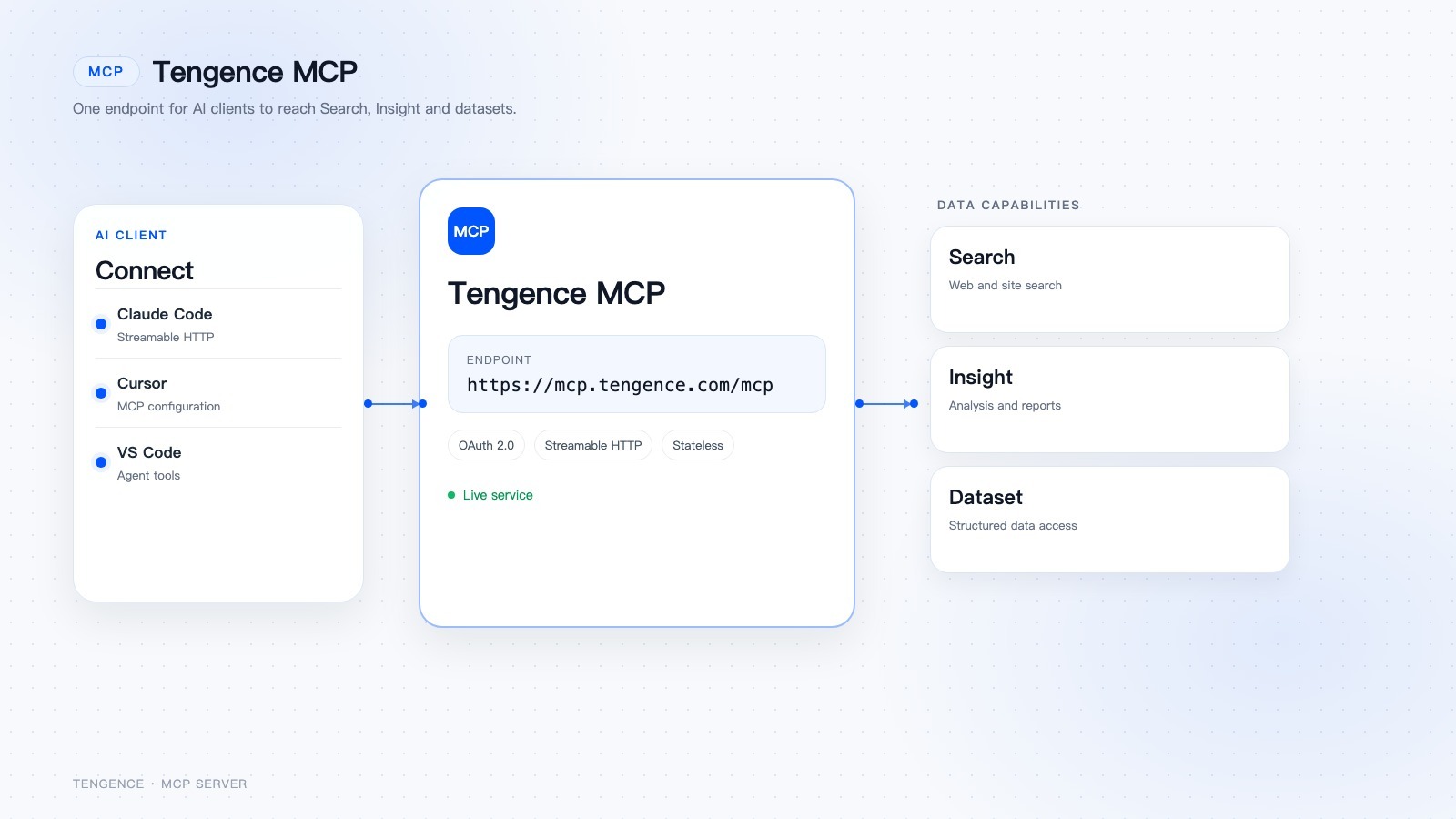
One endpoint, three layers
AI should not only answer questions — it should query data, change configuration and push results inside Tengence.
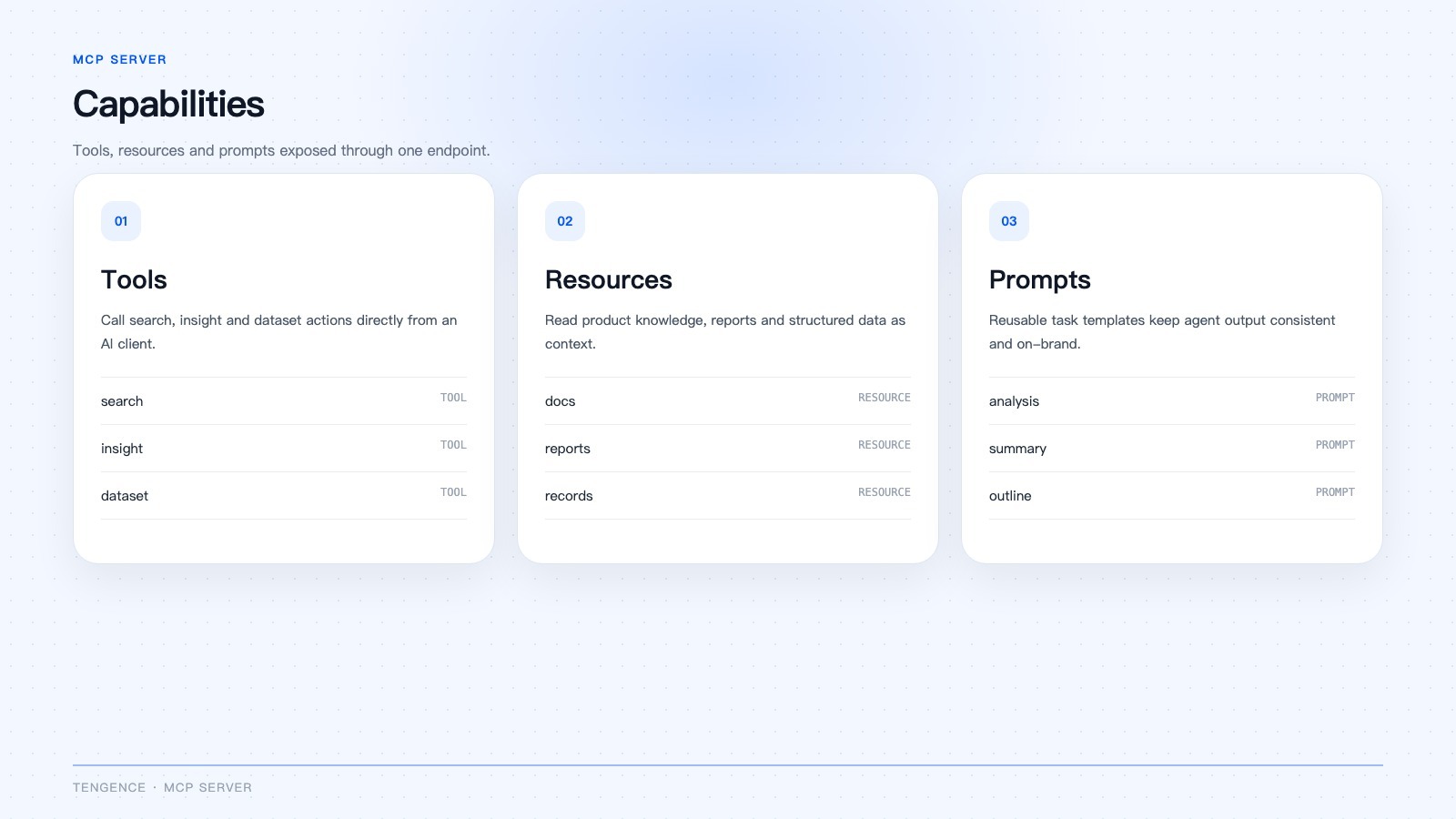
Turn business data into answers
Search the data plane, read search apps and indexes, inspect Insight reports, datasets and billing status.
Let AI complete the setup
Create apps, configure indexes, import data, bind datasets and adjust QP / rerank rules.
Write results back to business
Push data to integrated datasets and handle deletes, reindexing and key resets.
Connect in three steps
No API key application. Add the endpoint, finish OAuth in the browser, then call a tool.
Add the Server URL
Add the MCP endpoint in your client
Complete OAuth
Your client opens the browser so you can sign in and approve MCP tool access
Verify the connection
Say “Check the Tengence connection” in chat and the AI will call tengence_status
Server URL
https://mcp.tengence.com/mcp
Developer details
- Protected Resource Metadata
- https://mcp.tengence.com/.well-known/oauth-protected-resource
- Resource
- https://mcp.tengence.com/mcp
- Authorization Server
- https://auth.tengence.com
- Scope
- mcp:tools
Client setup
Recommended configurations below. Any client supporting Streamable HTTP and OAuth can connect.
General
Developer
China
OpenAI
Add a custom connector in ChatGPT and complete OAuth.
- 1Open Settings → Apps & Connectors
- 2Create a custom connector with the server URL
- 3Scan tools and complete OAuth
If the client asks for a resource, use https://mcp.tengence.com/mcp.
What you can do
From querying data to taking action — put AI into real business workflows.
Ask data in natural language
Query the data plane with pagination, sorting, filtering and aggregation.
Diagnose indexes and rules
Read search apps, indexes and debug information; adjust QP and rerank rules when needed.
Bring reports into the chat
Read Insight apps, analysis domains, reports, usage and field checks.
From datasets to invoices
Inspect datasets, integrations, fields and stats, or check plans, orders and balance.
11 tools
Grouped by task with an operation switch; read and write are separated, destructive actions need confirmation.
7 tools that query and analyse without changing business state.
tengence_query
Data-plane query with pagination, sorting, filtering, aggregation and highlighting.
tengence_status
Service health, account profile, login audit, payment and activation status.
tengence_billing
Plans, orders, invoices, balance, transactions and monthly spend.
tengence_dataset_read
Datasets, data-source connectivity, integrations, fields, stats and app relations.
tengence_search_read
Search apps, indexes, debug data, QP and rerank rules.
tengence_insight_read
Insight apps, analysis domains, reports, usage, fields and health checks.
tengence_console
Console configuration, feature flags, third-party bindings and feedback.
3 tools that change configuration or write data.
tengence_setup
Create apps, configure, import, bind, enable/disable, tag, purchase, top up, cancel orders, update account.
tengence_rule
Create and update 8 QP and 2 rerank rule types.
tengence_push
Push data to an integrated dataset; the app must be RUNNING.
1 tool. Delete, reindex and reset require explicit confirmation.
tengence_delete
Delete apps / datasets / rules / analyses, reindex, reset keys and unbind integrations.
Security and permissions
Connecting AI does not mean handing over every permission.
OAuth 2.1 + PKCE
Standard authorization code flow; no static API key on the page or in the client.
Stateless service
No server-side session; every request validates the Bearer token.
Read / write separation
7 read-only, 3 write and 1 destructive tool, grouped by risk.
Confirmation for destructive actions
Delete, reindex, reset key and unbind trigger a confirmation in the client.
FAQ
Six questions people ask before connecting.
What is MCP?
Model Context Protocol lets AI clients call external tools and data through a standard protocol.
Do I need an API key?
No. The client uses OAuth 2.1; you do not paste an mcp_... credential.
Is MCP charged?
MCP access carries no extra fee. Existing product plans and quotas stay unchanged.
Which clients are supported?
Any client that supports remote HTTP MCP and OAuth. Recommended setups are shown for Claude Code, Cursor, VS Code and ChatGPT.
What can it operate?
Search, Insight, datasets, console, billing and the data plane — the 11 tools define the exact actions.
Is deleting data safe?
Delete, reindex and key reset require confirmation. Start with read-only tools, then move to writes.
Bring Tengence into your AI today
Start by adding one endpoint. For evaluation or private deployment, talk to us.
